The mod manager built for Gothic 1 Remake
Lightweight, fast and fully portable. Drop a mod archive or folder onto the window — G1L detects what kind of mod it is and installs it exactly where the game expects it. No more digging through game folders by hand. Most managers only handle UE4SS or paks; G1L installs and manages every Gothic 1 Remake mod type — correctly.
Drag & drop
Drop .zip / .7z / .rar / .pak or a mod folder onto the window — or pick several at once. G1L routes each to the right place.
Every mod type
UE4SS Lua & DLL, paks, BP plugins, movie replacements, Engine.ini tweaks, ReShade presets, fyryNy loader & plugins.
Safe by default
Save backups before launch, removable Engine.ini blocks, reversible toggles — nothing is ever silently destroyed.
Take a look
A dark Gothic interface — stone texture, ember glow, built for the mood of the game.
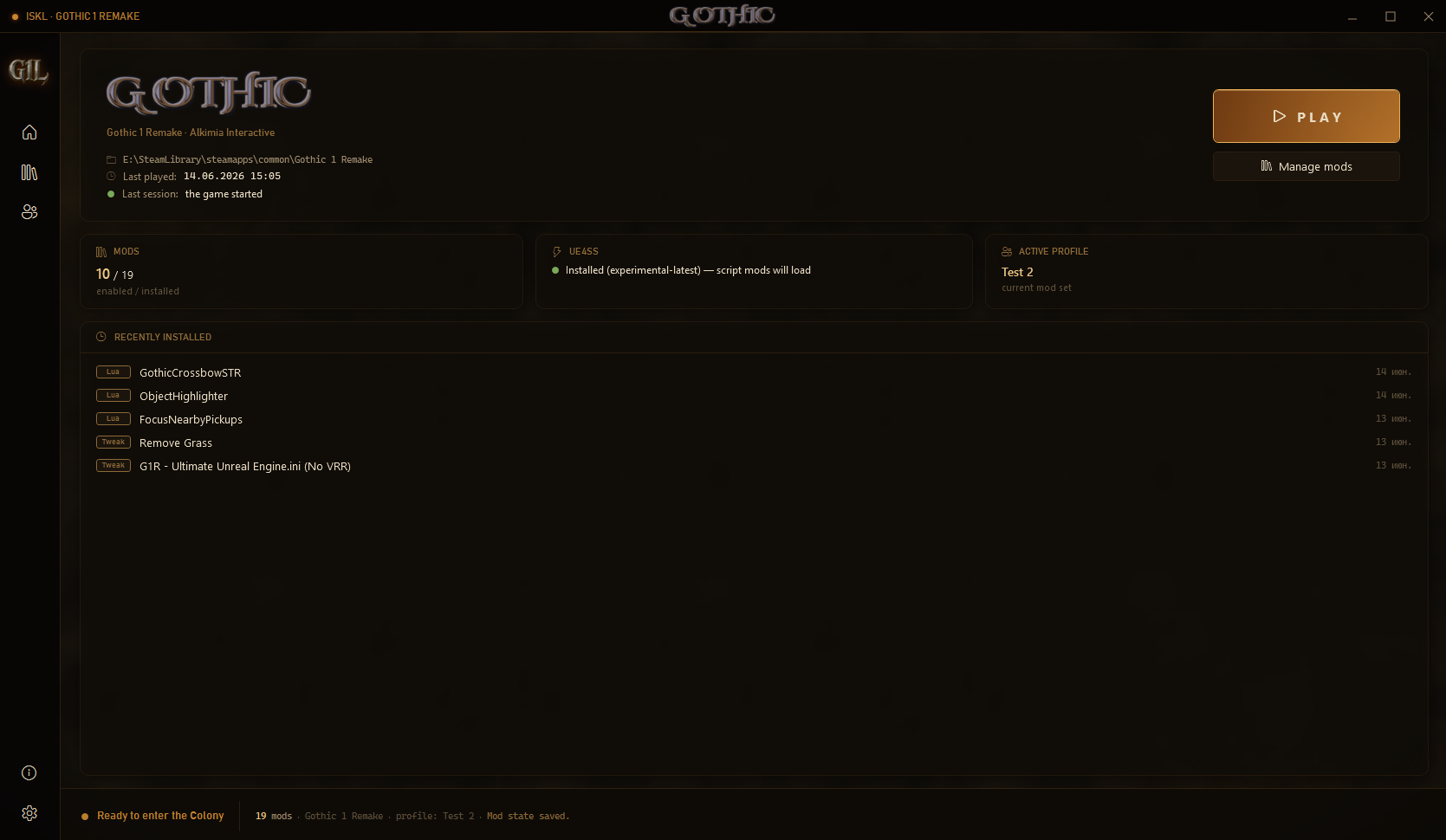
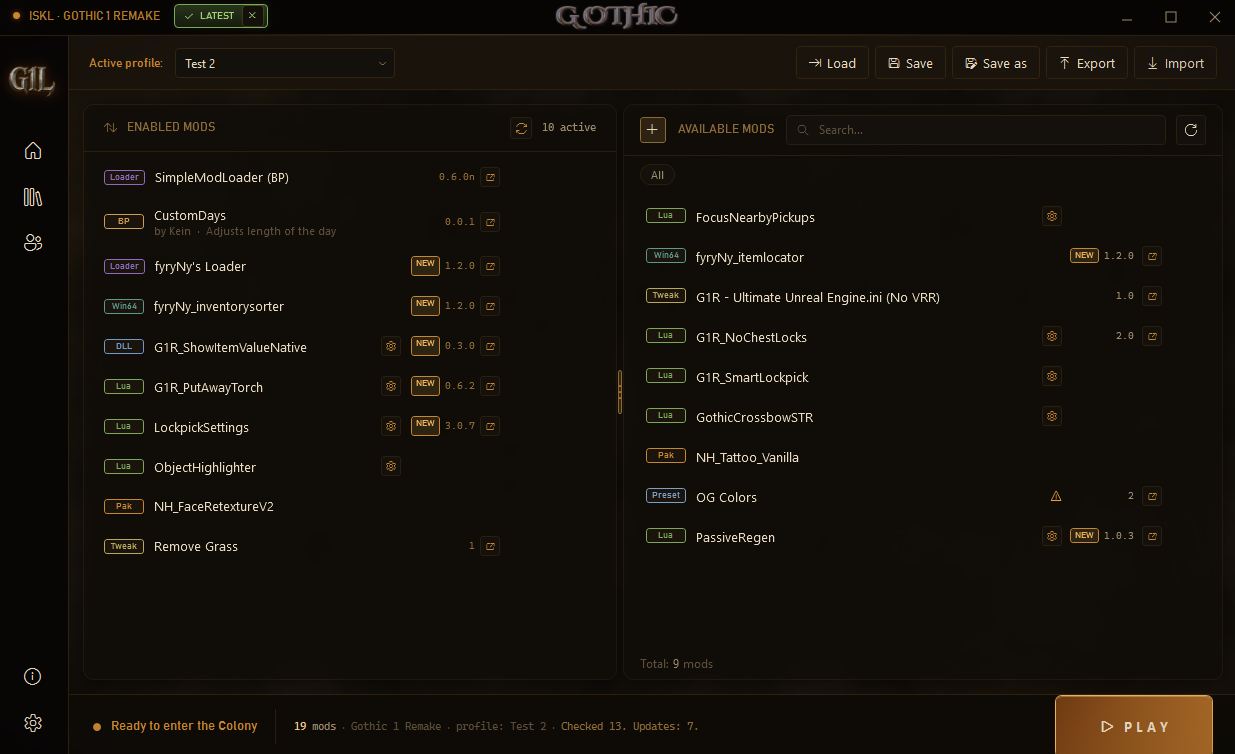
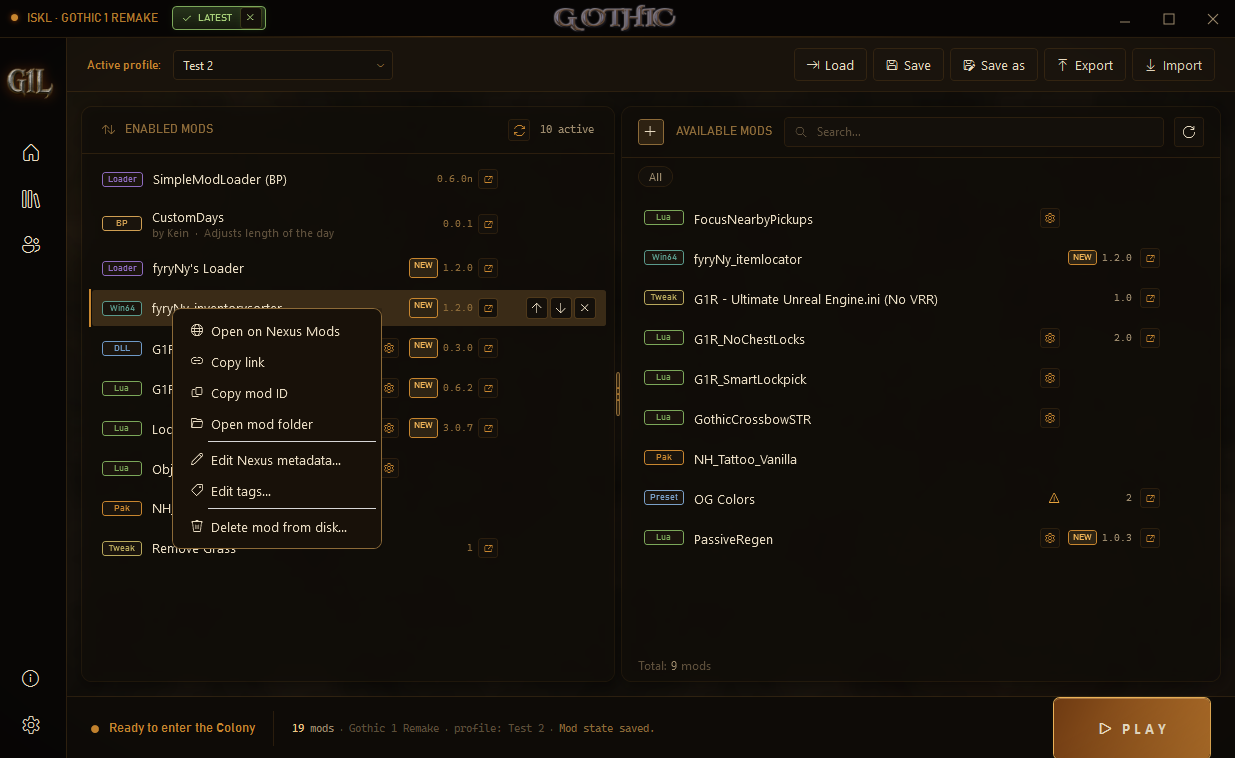
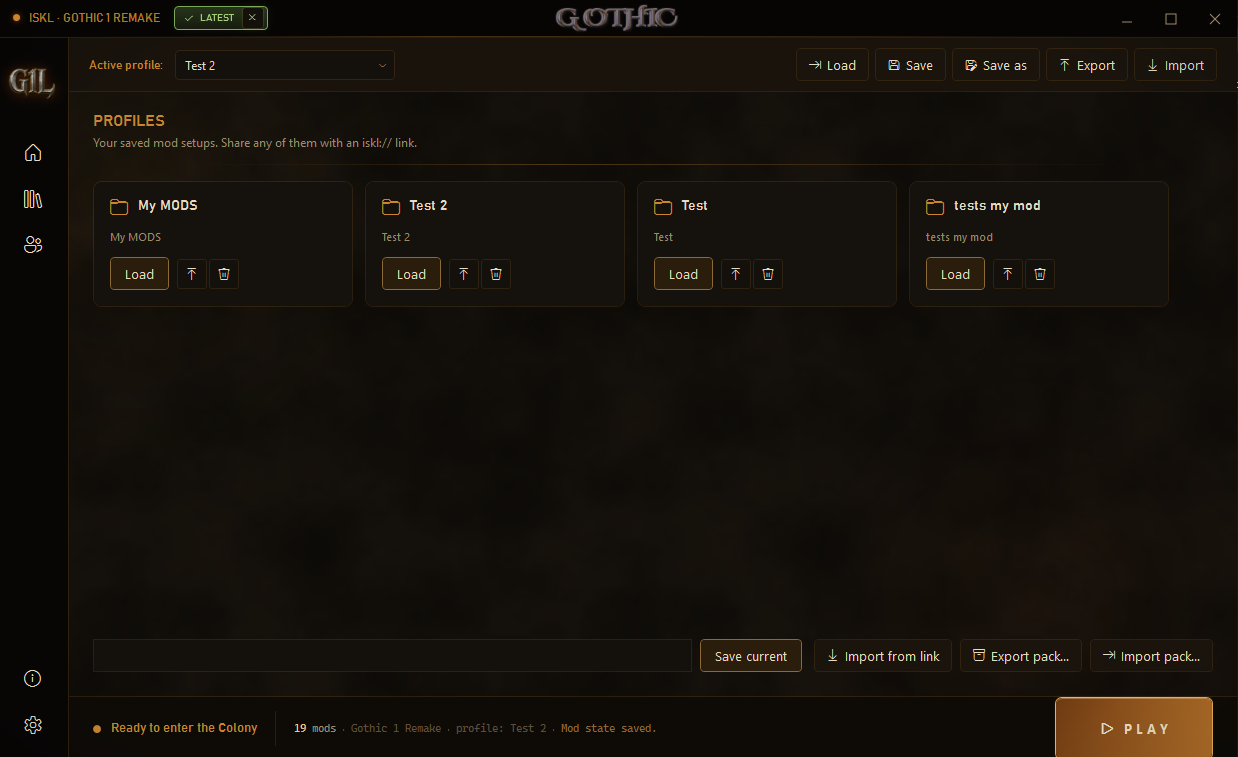
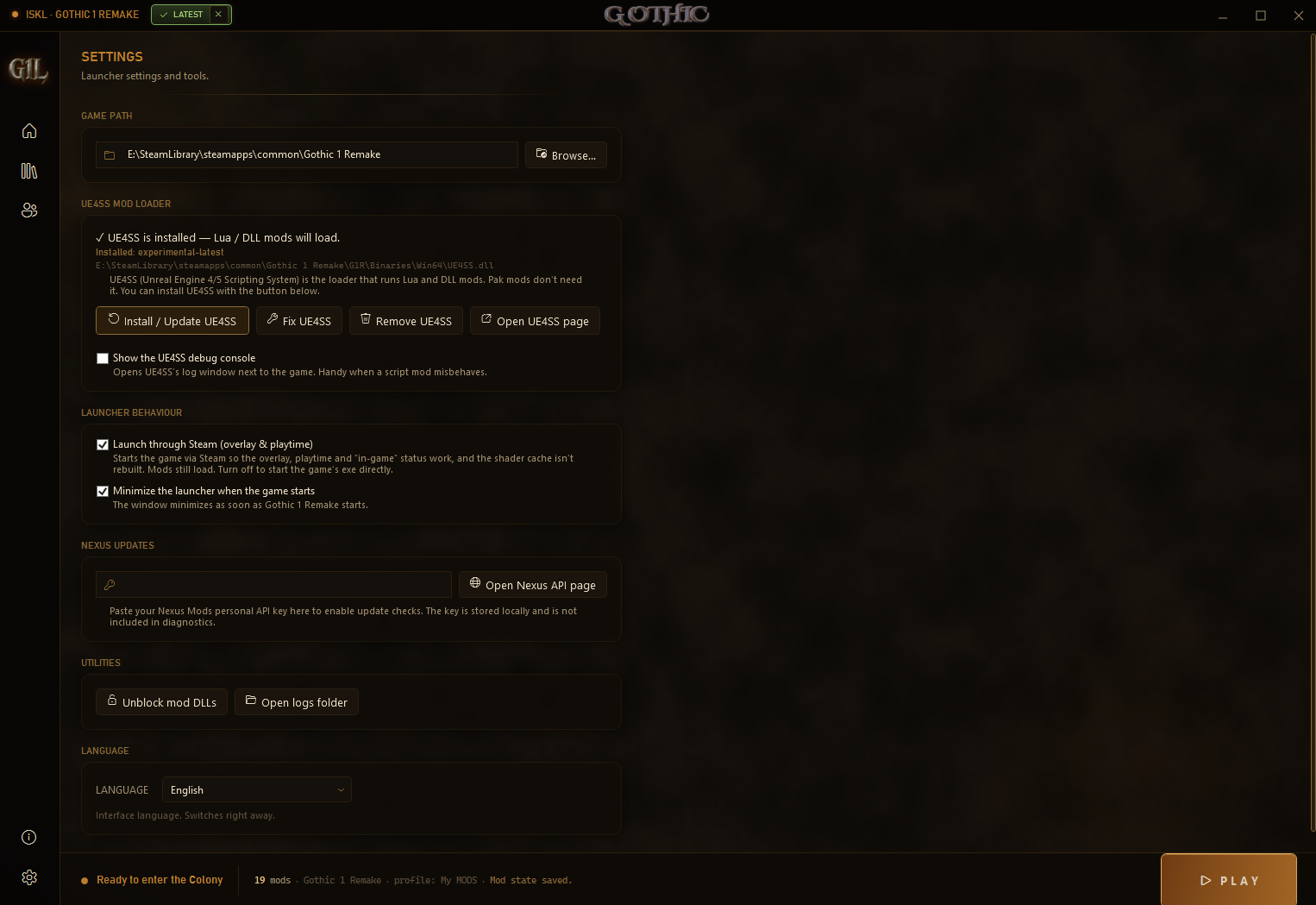
One launcher, every mod type
G1L installs and manages them all — and puts each exactly where the engine looks for it.
Install & manage
- ➤Drag-and-drop, or pick files. Drop archives or a mod folder, or click + to choose several. G1L detects the type and puts it in the right folder.
- ➤UE4SS done for you. Installs the correct experimental build for Gothic 1 Remake (regular zip, never zDEV), respects an existing nested install, and can fix a broken one.
- ➤Pak toggling. Disable & re-enable pak mods safely — G1L renames the full
.pak/.ucas/.utoc/.sigset; nothing is ever deleted. - ➤Loose game files are managed. Images, Story and Textures replacements are installed conservatively: originals are backed up, disabling restores them, enabling restores the mod payload.
- ➤Engine.ini tweaks done right. Merged into your real Engine.ini as removable marked blocks. Disable the mod and only its block is removed — your other settings stay.
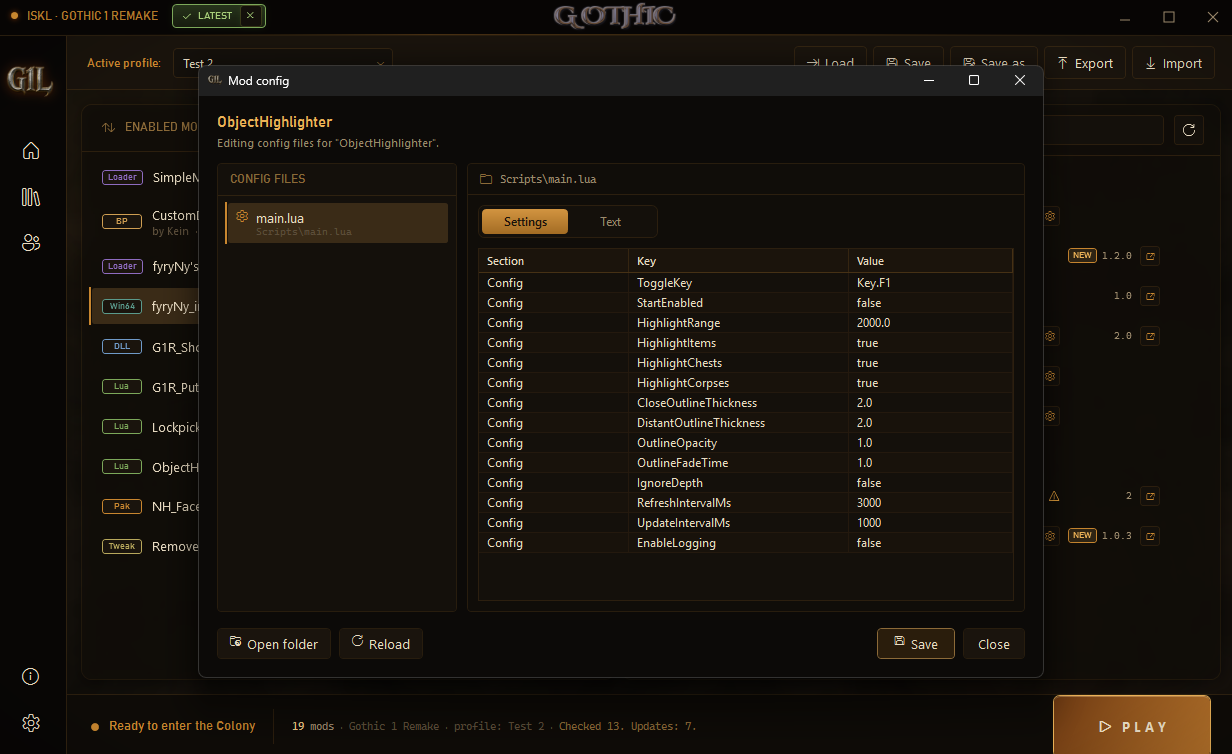
- ➤Built-in config editor. Edit mod settings in the launcher — even values written inside a UE4SS
main.lua, rewriting only the value in place so the script never breaks. A raw text tab is always there too. - ➤In-game console (opt-in). One toggle in Settings turns on the Unreal console and cheat commands via the UE4SS console built-ins. Off by default — a developer / cheat feature, separate from the UE4SS debug log. Requires UE4SS.
Share & stay current
Mod Packs (.g1lpack)
Export your whole setup into one archive — the mod files, load order, enabled state and profile. A friend imports it with one click and gets your exact setup.
Update checks via Nexus API
G1L reads each mod's latest file version on Nexus, so updates show up even when an author forgets to bump the version field. Paste a free personal API key once in Settings.
Launcher self-update
A title-bar chip shows LATEST when you're current, or UPDATE when a newer G1L is out. Both dismissible.
Profiles
Save mod setups and share any of them with a single iskl:// link.
Keeps you safe, stays out of your way
Missing dependency warnings
Tells you when a mod needs UE4SS, SimpleModLoader, fyryNy's Loader or ReShade — before it silently fails in game.
Startup health check
A yellow banner flags real problems: missing VC++ runtime, a broken UE4SS proxy, or a foreign DLL injector beside the game exe.
Save backups
A backup before every launch, so a bad mod can't cost you your run.
One-click diagnostics
About → Copy diagnostics grabs versions, paths, UE4SS state, mod list and log tail for bug reports.
How to use
Run ISKLLauncher.App.exe — the game is detected automatically.
If prompted, install UE4SS from Settings. Lua/DLL mods need it; pak / movie / tweak / preset mods do not.
Drag a mod archive, .pak, or folder onto Available mods — or click + to pick files.
Enable the mods you want and set the order if needed.
Click the config icon if a mod has editable settings.
Hit PLAY. Done.
Where things go
| Mod type | Install location |
|---|---|
| UE4SS Lua / DLL mods | ...\G1R\Binaries\Win64\Mods\ |
| Pak mods | ...\G1R\Content\Paks\~mods\ |
| SimpleModLoader | ...\G1R\Content\Paks\ |
| BP plugins | ...\G1R\Mods\ |
| Movie replacements | ...\G1R\Content\Movies\ |
| Loose game-file replacements | ...\G1R\Images\, ...\G1R\Story\, ...\G1R\Textures\ |
| Engine.ini tweaks | %LOCALAPPDATA%\G1R\Saved\Config\Windows\Engine.ini |
| ReShade presets | ...\G1R\Binaries\Win64\ |
| fyryNy's Loader | ...\G1R\Binaries\Win64\ |
| fyryNy plugins | ...\G1R\Binaries\Win64\fyryNy_loader\ |
| PLuaModLoader child mods | ...\G1R\Binaries\Win64\Mods\PLuaModLoader\Scripts\Mods\ |
FAQ
Updates not showing?
- Update checks need a free Nexus API key — paste it in Settings → Nexus Updates (Nexus: Account → Site preferences → API Keys).
- The mod also needs a Nexus ID. G1L reads it from the original download name; if missing, set it via right-click → Edit Nexus metadata.
- G1L reads the mod's latest file version, so updates show even when the author didn't bump the page version.
Mods not loading?
- Open Settings → Install / Update UE4SS for Lua/DLL mods, or hit Fix UE4SS if it was installed into the wrong folder.
- Pak, movie, Engine.ini and ReShade preset mods do not need UE4SS.
- BP mods need SimpleModLoader; fyryNy plugins need fyryNy's Loader.
- Watch the yellow banner — G1L checks your setup and tells you what's missing or broken.
Is it safe? Why does my antivirus flag it?
Launcher won't open / mods won't drag in?
Comments & support
Built by one modder, kept alive by the community. Ask a question, leave a comment, or chip in to keep new features coming.
Leave a comment
Questions, bug reports and feedback all live on the Nexus Mods comments tab — the fastest way to reach ISKL and other users.
Open comments on NexusSupport development
G1L is free and always will be. A one-time donation helps fund development and future apps — no subscription, no strings.
Make a one-time donation